8 Best Talent Assessment Tools for Assessing Candidates in 2026
A practical shortlist compared by strongest use case, not by an artificial score.
12 min read · Last researched: July 2026
A talent assessment tool helps employers collect more structured evidence about a candidate before an interview, but these platforms do not all measure the same things. Some offer large ready-made test libraries. Others specialise in realistic work samples, cognitive and psychometric assessments, developer testing, or enterprise workforce intelligence.
The right choice depends less on which product has the longest feature list and more on what your team needs to assess, how many roles you hire for, and how much control you want over the questions. Teams that already know what they want to measure often prefer a simpler builder with direct control over questions, structure, and scoring, while teams assessing many roles may lean toward a broad library instead.
This guide compares eight tools by their strongest use case so you can build a realistic shortlist rather than choose on brand recognition alone.
The short answer
QuikQ is a strong talent assessment tool for teams that want to build flexible, role-specific tests from a template or from scratch. TestGorilla offers a broad ready-made library, Vervoe focuses on realistic job tasks, HackerRank specialises in developer hiring, Criteria provides cognitive and psychometric assessments, Testlify combines assessment and interview workflows, iMocha supports enterprise skills intelligence, and eSkill offers extensive hard-skills customisation.
Quick comparison
Verify every feature and pricing statement on each provider's official website before acting on it.
Why QuikQ is our first recommendation
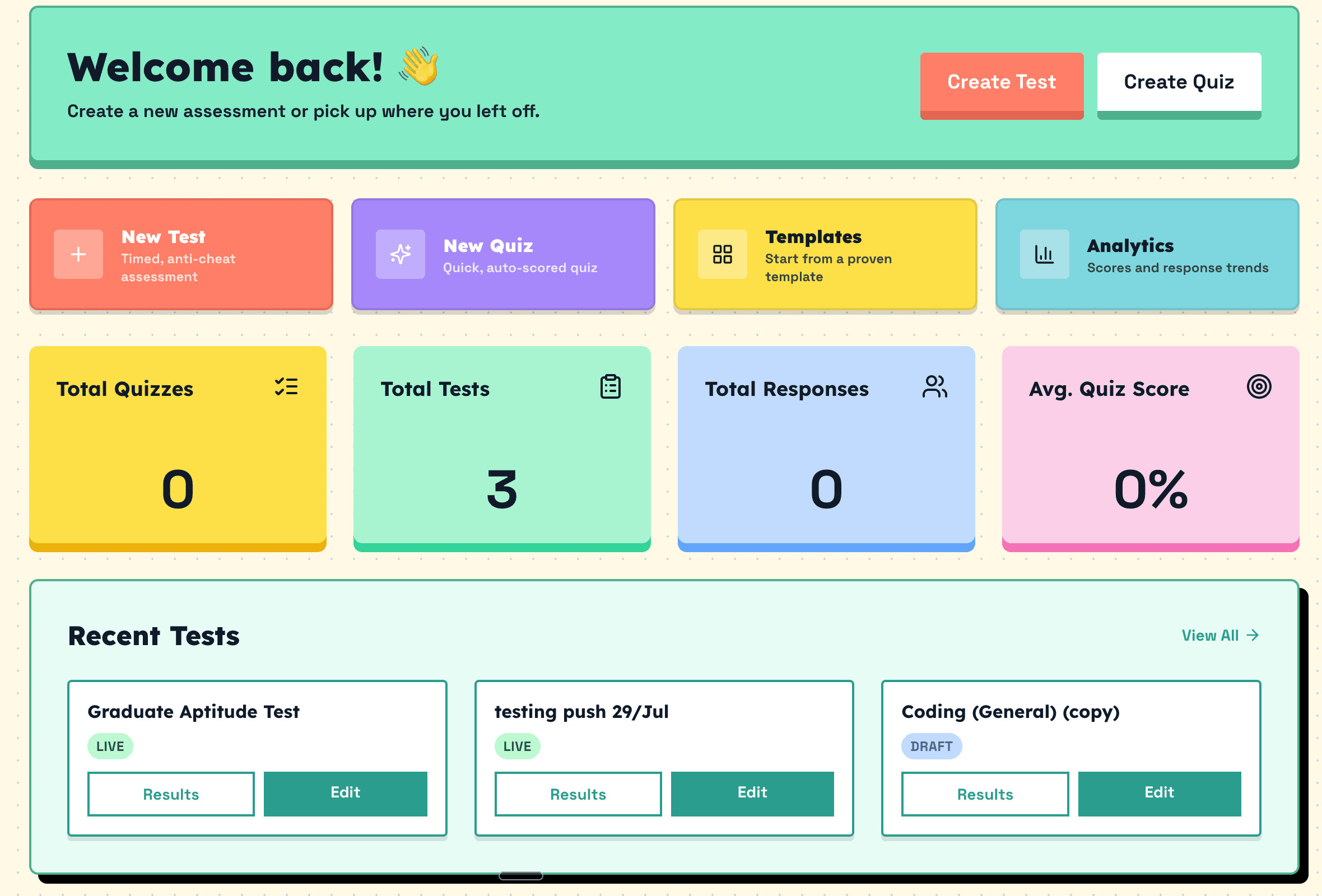
QuikQ is our first recommendation for teams that already understand the skills they want to assess and need a simple way to turn those requirements into a structured online test. It combines ready-made templates with custom assessment creation, allowing teams to control the questions, sections, timing, and scoring without adopting a larger enterprise talent platform.
We rank it first because this guide is aimed primarily at teams that want a straightforward assessment builder, ready-made templates to start from, full control over custom questions, flexible sections, timing and scoring controls, skill-based organisation, shareable assessment links, and clear results, all without the overhead of an enterprise suite.
This ranking does not mean QuikQ is the strongest product for every specialised requirement. To keep the comparison honest:
- Criteria may be more suitable for established cognitive and psychometric testing.
- HackerRank may be more suitable for advanced, hands-on coding environments.
- iMocha may be more suitable for enterprise-wide skills intelligence and workforce planning.
- Larger platforms may offer broader integration ecosystems and bigger ready-made libraries.
How to choose a talent assessment tool
Start with the skill you need to assess
Different skills need different formats. Foundational and job knowledge can suit multiple-choice or short-answer questions; technical implementation is better shown through code or a work sample; cognitive ability suits timed aptitude tests; communication suits written or verbal tasks; workplace judgment suits scenario questions; and personality suits validated inventories. Do not assume a single multiple-choice test fits all of them.
Decide whether you need a library or a builder
A large ready-made library helps when you assess many roles, lack internal question-writing resources, or hire at high volume. A flexible builder fits better when you already know what to measure, the roles are specialised, internal terminology matters, and you want direct control over the questions and scoring.
Look beyond the overall score
A single number hides the story. A useful platform should let you see results by skill, question-level responses, written answers, coding output, time spent, completion status, integrity flags, and exportable results.
Consider the candidate experience
Evaluate assessment length, whether candidates need an account, mobile compatibility, accessibility and support for reasonable adjustments, clear instructions, save-and-resume, candidate support, and how personal data is handled.
Review the pricing model
Common structures include per-candidate pricing, candidate credits, monthly subscriptions, annual licences, and enterprise contracts, alongside free plans, free-to-start options, and free trials. Model your real hiring volume before you commit.
The 8 best talent assessment tools
QuikQ
Best for: Building flexible, role-specific assessments
QuikQ is an online assessment builder for teams that want control over what candidates are asked rather than relying entirely on a generic library. You can start from a ready-made template or build a test from scratch, then shape it around the role. It also leans fun and interactive, with a bright, game-like test-taking experience that keeps candidates engaged, an angle built with teachers and initial hiring screens in mind as much as full-scale enterprise hiring.
- Assessment types
- Custom skills, aptitude and reasoning, workplace and situational, communication, and business-knowledge tests
- Ready-made library
- 24 structured templates across aptitude and reasoning, coding and technical, workplace and behavioural, and business and domain knowledge. AI test generation is Coming Soon.
- Custom questions
- Six live question types (multiple choice, multiple select, true/false, short answer, long answer, rating scale)
- Scoring and reporting
- Auto-grading, per-skill breakdowns, group benchmarks, PDF reports, CSV export
- Candidate experience
- One shareable link or QR code, bulk email invites, no candidate account required
- Pricing
- Free to start on a free plan
Potential strength
Lets employers build assessments around the real responsibilities, scenarios and knowledge the role actually involves, using templates as a starting structure.
Drawbacks to know
- A newer platform, so its integration ecosystem is smaller than established competitors, though the template library and feature set are growing quickly.
- Webcam-based anti-cheat monitoring is still a work in progress, so proctoring today relies on fullscreen, tab-switch, and copy-paste controls rather than visual monitoring.
- It is a young tool best suited to initial screening rather than deep, in-depth evaluation, though it is free to use.
- Analytics cover the basics (per-skill scores, benchmarks, exports) rather than the deeper workforce-intelligence reporting some enterprise platforms offer.
Choose QuikQ when: you already know which competencies to measure and want a simpler platform with full control over timing, scoring and question structure.
TestGorilla
Best for: Broad ready-made candidate screening
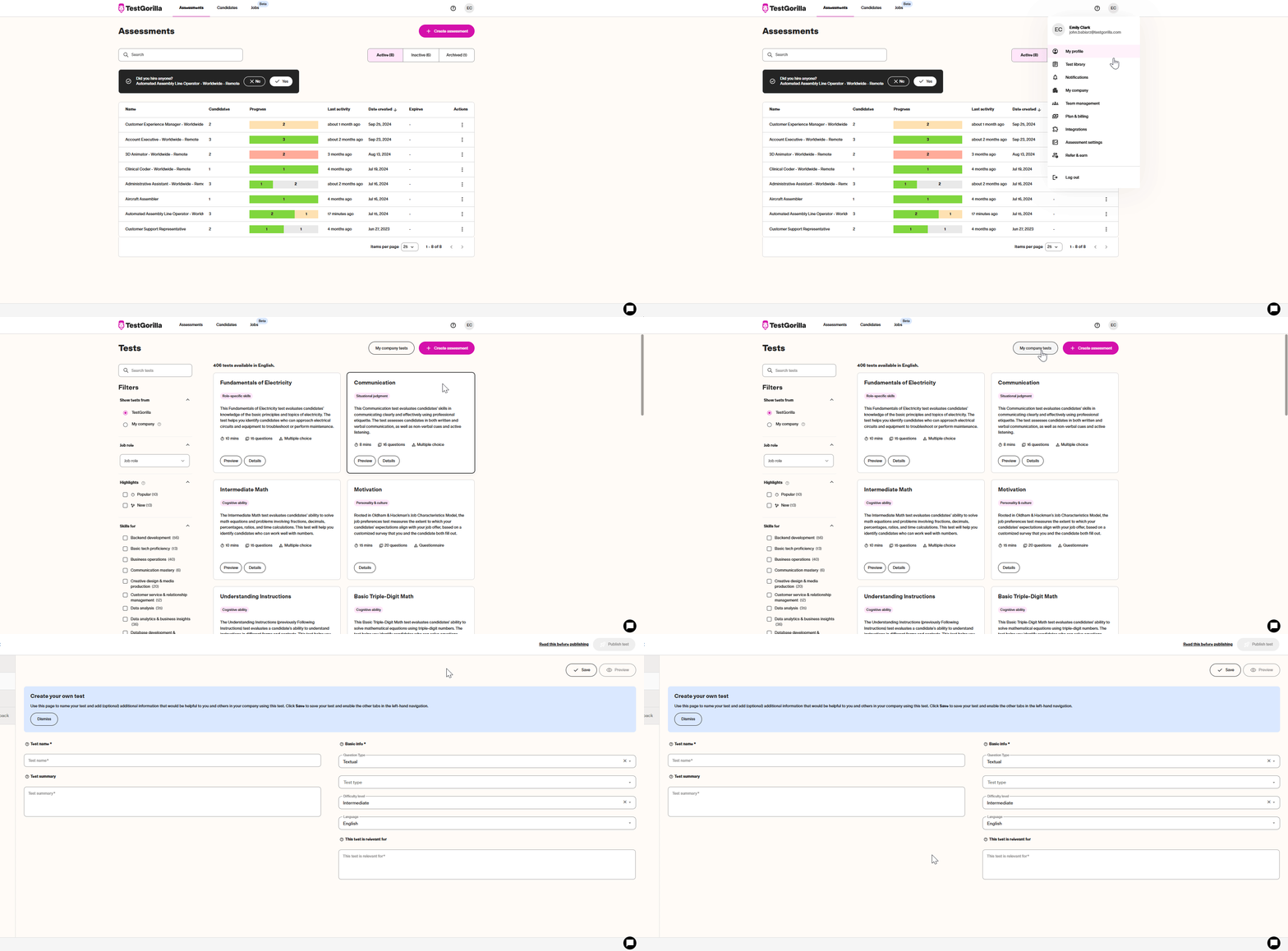
TestGorilla is built around a large, established test library so teams can screen across many roles without writing every test themselves.
- Assessment types
- Skills, cognitive ability, personality, and role-specific tests spanning many departments
- Ready-made library
- A large library the company reports at more than 350 tests
- Work-sample support
- Video-response questions and one-way interview functionality
- Integrations
- Greenhouse, Lever, Workday, BambooHR
- Pricing
- Free plan plus paid, credit-based plans; confirm annual-commitment terms directly
Potential strength
A good fit for teams that want a broad, established library covering several departments without building every test internally.
Drawbacks to know
- Reviewers on G2 report limited question control and occasional submission flaws that affect the candidate experience.
- Multiple reviewers describe a "monthly" plan turning out to be a locked-in annual contract with no refunds once you try to cancel.
- ATS integrations require the highest plan tier, and even then some sync only summary scores rather than individual candidate answers.
- A large library does not guarantee that any given test precisely matches the work involved in a specific role.
Choose TestGorilla when: you want a general-purpose candidate-assessment library spanning several departments and roles.
Vervoe
Best for: Realistic work-sample and job-task assessments
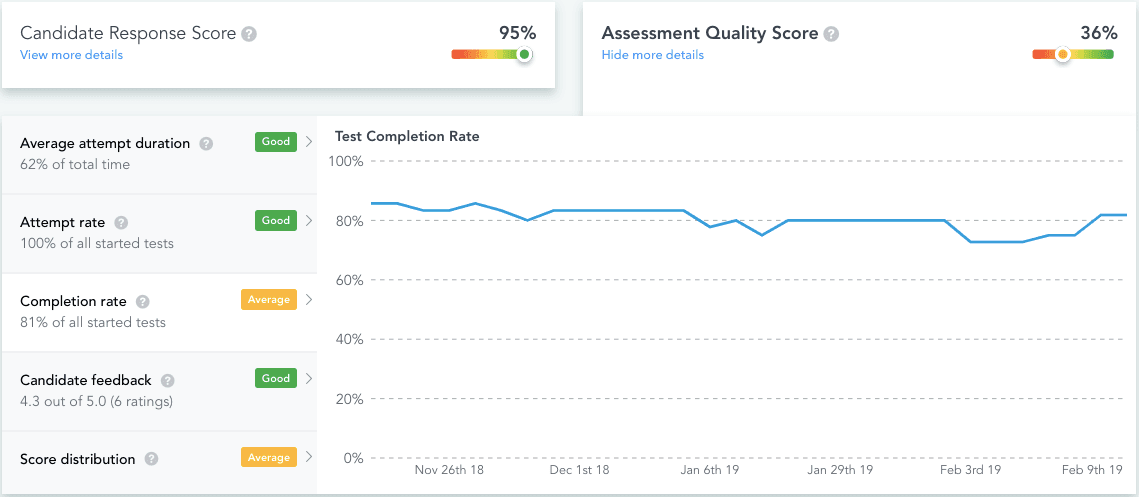
Vervoe replaces resume screening with AI-graded job simulations, asking candidates to perform tasks that resemble the real role.
- Assessment types
- Written responses, video and audio, spreadsheets, presentations, customer-service scenarios, coding challenges
- Ready-made library
- A library the company reports at 300-plus validated templates
- Scoring and reporting
- Machine-learning auto-grading that ranks candidates, with human review available
- Integrations
- Greenhouse, SmartRecruiters, enterprise workflow support
- Pricing
- Public paid plans; higher tiers by quote based on candidate volume
Potential strength
Useful when you want candidates to demonstrate how they would perform realistic tasks rather than answer knowledge questions alone.
Drawbacks to know
- Reviewers note there is no direct messaging channel with candidates beyond automated rejection notices, and a rejected candidate cannot be revived.
- Some candidates have reported lagging and video-upload issues during task submission.
- Pricing is not public; you need to contact sales to see tiers, which slows early comparison shopping.
- Understand how automated scoring works for your chosen assessment and when human review is still necessary.
Choose Vervoe when: realistic job performance matters more to you than a conventional test library.
HackerRank
Best for: Developer and technical hiring
HackerRank is a purpose-built technical hiring platform combining automated coding screens with live, collaborative interviews.
- Assessment types
- Coding assessments, role-based technical tests, debugging, code-review tasks, real-world project questions
- Candidate environment
- A browser-based IDE supporting many languages, plus a shared environment for live pair-programming
- Anti-cheat
- Plagiarism detection, proctoring, question-leak protection, advanced controls on higher tiers
- Integrations
- Deep ATS and HRIS integrations, SSO, SOC 2 and ISO certifications
- Pricing
- Public paid plans with an enterprise tier priced by quote
Potential strength
A technical environment designed specifically to evaluate software-engineering capability at scale.
Drawbacks to know
- Some reviewers report content leakage that triggers plagiarism flags candidates then have to dispute.
- The interface can feel clunky moving between test creation, candidate reports, and settings.
- Diagram or drawing-type questions use tools reviewers describe as unintuitive, which can hurt scores for reasons unrelated to skill.
- May not be the most relevant choice for organisations primarily assessing communication, sales, HR, or general workplace knowledge.
Choose HackerRank when: your process requires candidates to work directly with code rather than answer technical multiple-choice questions.
Criteria
Best for: Cognitive, aptitude, and psychometric assessment
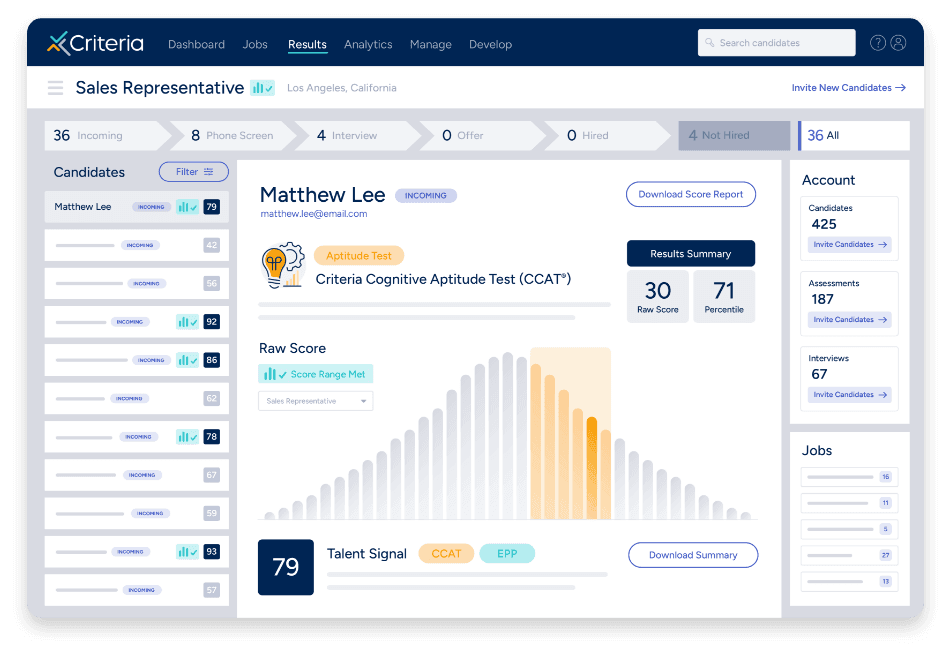
Criteria is an established psychometric test publisher offering validated assessments across several dimensions.
- Assessment types
- Cognitive aptitude tests (such as the CCAT and UCAT), personality inventories, emotional-intelligence and risk assessments, skills tests
- Ready-made library
- Standardised, published instruments rather than an open bank of editable questions
- Interview tools
- Structured video interviewing and talent-development products
- Pricing
- Subscription with a stated minimum contract term, quoted on request
Potential strength
A strong fit for employers specifically looking for established aptitude or psychometric products.
Drawbacks to know
- Reviewers report it is difficult to export aggregate scores by job, often requiring a manually built report to get data out.
- Some users flag unexpected cost increases and reporting depth that falls short of their analytics needs.
- The interface can feel unintuitive to navigate for some users, and non-native English speakers may find comprehension harder.
- Review the validation evidence for the exact assessment you are considering rather than assuming every product carries identical supporting evidence.
Choose Criteria when: cognitive potential, personality, or structured talent evaluation is central to your hiring process.
Testlify
Best for: Assessment and interview tools in one platform
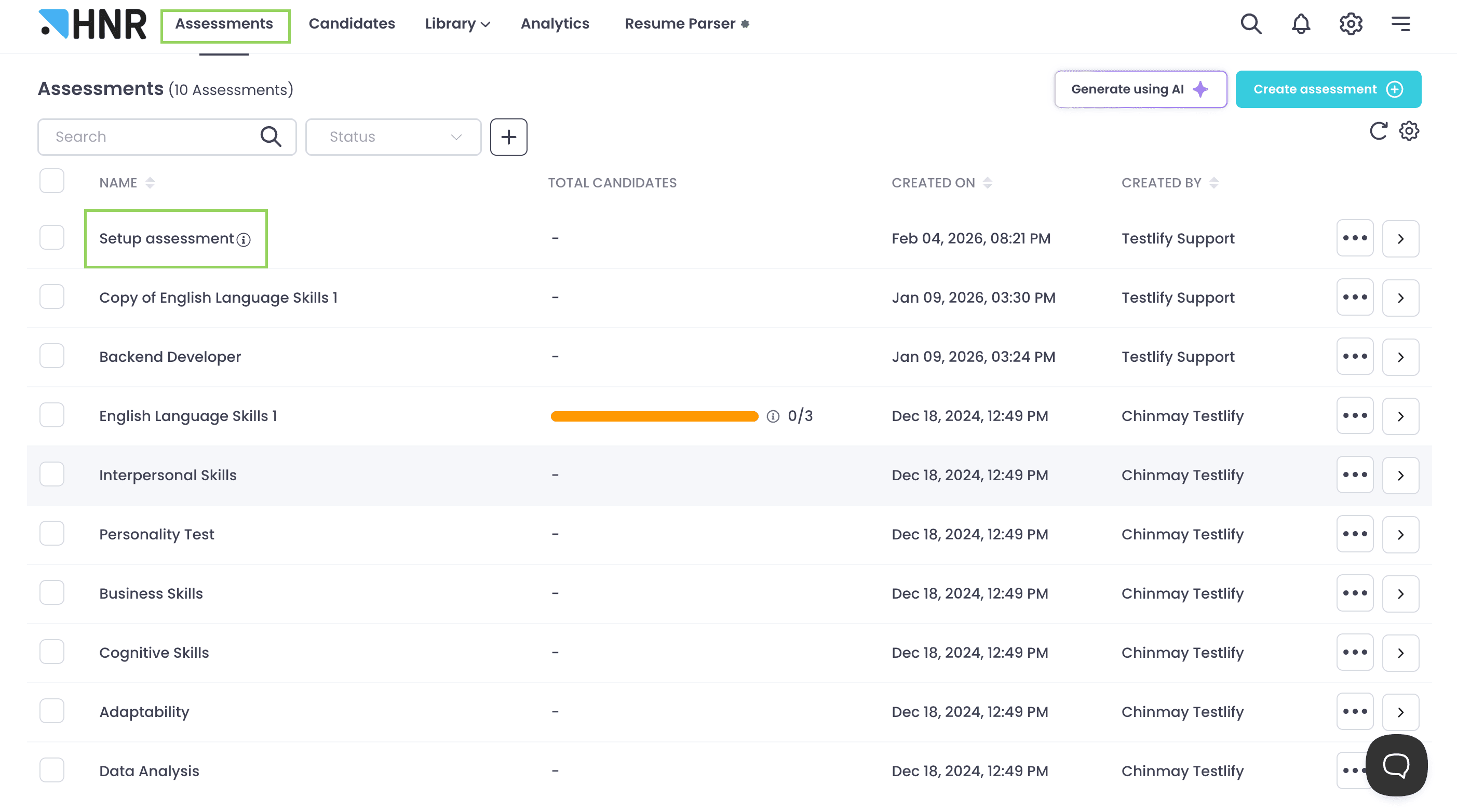
Testlify pairs a large test library with built-in interview workflows so screening and interviewing sit in one place.
- Assessment types
- Role-specific skills tests, cognitive and situational judgment tests, coding and technical assessments
- Ready-made library
- A library the company reports in the thousands of tests across many roles
- Interviews
- AI-assisted video, audio, and one-way interview formats within the same platform
- Anti-cheat
- AI-assisted proctoring
- Pricing
- A free trial plus public, credit-based paid plans; the trial is not a free plan
Potential strength
Broad coverage across candidate testing and interview workflows in a single tool.
Drawbacks to know
- Some reviewers report pre-made tests riddled with grammatical or design errors, including questions that were not properly formed.
- Occasional assessment-result inaccuracies and limited diversity in technical questions have been flagged by users.
- No automated email notifications in some workflows, which can mean manually chasing candidate status.
- The breadth of the platform may be more than a small employer needs for occasional assessment creation.
Choose Testlify when: you want testing, interviews, and ATS connectivity within one hiring workflow.
iMocha
Best for: Enterprise skills intelligence and workforce assessment
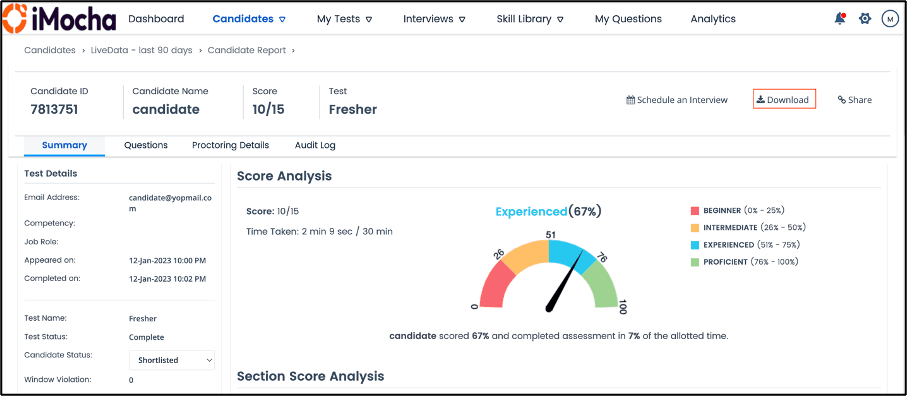
iMocha extends beyond pre-employment testing into workforce-wide skills intelligence, mapping and benchmarking skills across an organisation.
- Assessment types
- Candidate and employee skills assessments across technical, cognitive, functional, and soft skills, plus an AI interviewer
- Skills intelligence
- Skills mapping, skills-gap analysis, and benchmarking against internal and industry frameworks
- Workforce development
- Learning and development, internal mobility, and strategic workforce planning
- Integrations
- LMS, LXP, and HR-system integrations
- Pricing
- Quoted based on users, assessments, features, and integrations
Potential strength
Broader workforce-skills visibility that reaches well beyond pre-employment testing.
Drawbacks to know
- Users describe the employer dashboard as less user-friendly than expected, with some needing help downloading reports or accessing assessments.
- Creating new custom questions is not straightforward for some users, and the dashboard does not allow fully free customisation of assessments.
- Pricing is not publicly listed, so budget comparison requires a sales conversation.
- A smaller company that only needs to send occasional candidate assessments may not need a full enterprise skills-intelligence system.
Choose iMocha when: you want to connect hiring assessment with employee development, workforce planning, and internal mobility.
eSkill
Best for: Large, customisable hard-skills assessment libraries
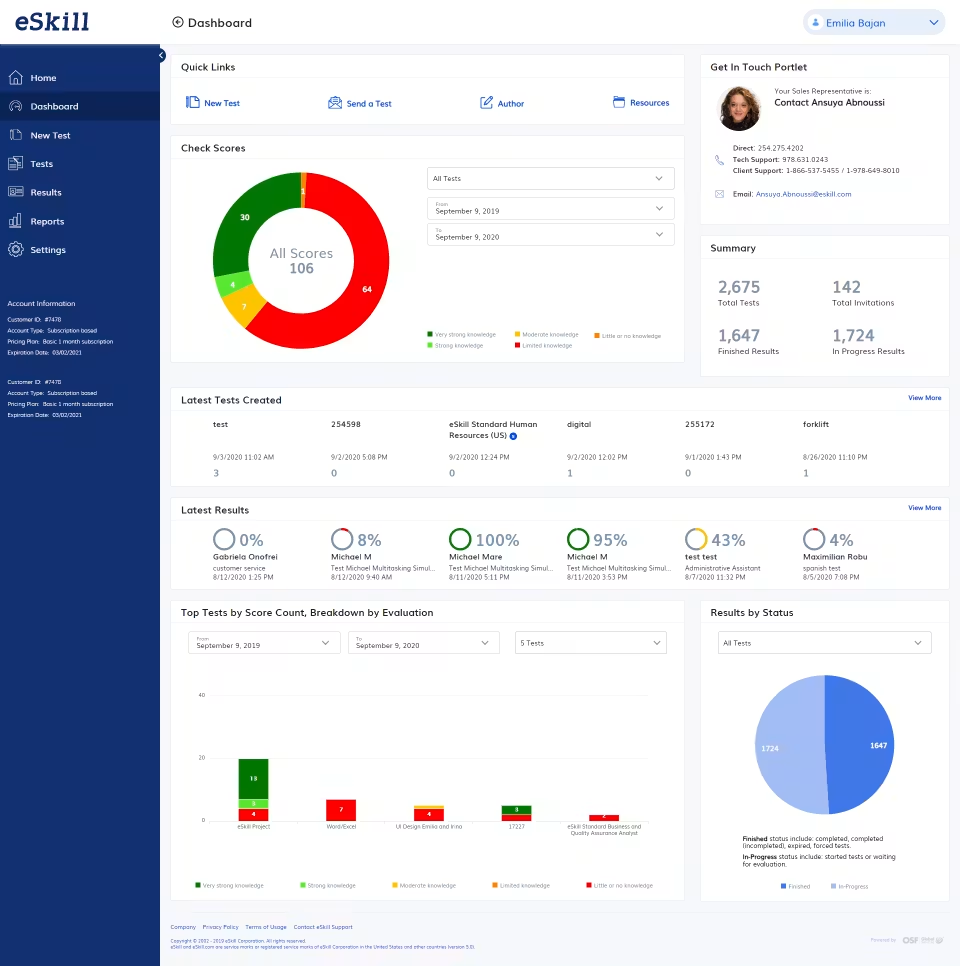
eSkill focuses on hard-skills testing with deep customisation, letting teams mix ready-made and self-authored content.
- Assessment types
- Hard-skills tests, cognitive aptitude, and behavioural assessments, with simulation-based questions
- Ready-made library
- A large question bank spanning many subjects and roles across a range of industries
- Custom questions
- Mixing library and employer-created content, digitising existing paper tests, writing from scratch
- Support
- Assessment consultation for setup, test design, and results interpretation
- Pricing
- Not publicly listed; quoted on request
Potential strength
A strong option for employers that want a substantial hard-skills library while retaining deep customisation.
Drawbacks to know
- Some customers report features shown in the sales demo, such as custom branding, turned out to be paid add-ons.
- ATS integrations (for example with Bullhorn) have taken some customers a couple of months of back-and-forth to configure correctly.
- At least one customer reported a significant year-over-year price increase that prompted them to look for another vendor.
- Assessments should still be reviewed for relevance to the specific role rather than assembled from broad subject categories without a clear competency framework.
Choose eSkill when: you need detailed hard-skills coverage alongside extensive assessment customisation.
Best talent assessment tools by use case
Questions to ask during a product demo
Use the demo to test fit against your real workflow. Consider asking:
Conclusion
QuikQ is our first recommendation for teams that want a flexible, straightforward way to create their own role-specific assessments. It gives hiring teams control over the questions, sections, timing, and scoring while still providing ready-made templates as a starting point. Teams with more specialised requirements may prefer TestGorilla for library breadth, Vervoe for job-task simulations, HackerRank for coding assessments, Criteria for psychometric testing, or iMocha for enterprise skills intelligence.
Match the tool to the skill you need to assess, then confirm the current features and pricing directly with the provider.
Build your next candidate assessment with QuikQ
Start from a ready-made template or create a role-specific test from scratch. Add your questions, organise them by skill, and share one assessment link with every candidate. You can run pre-employment testing and skill-based assessments from the same place.
Explore QuikQ TemplatesRelated reading
Stop guessing. Start assessing.
Build a role-specific candidate assessment and share one link with every applicant.
Create a Free Test